About my PDF-Editor Project
It all started with me thinking about a PDF platform that people can use instead of using licensed software. Came up with an idea of web-based which can…

On this page (22)
Inception #
It all started with me thinking about a PDF platform that people can use instead of using licensed software. Came up with an idea of web-based which can be used on any device be it laptop or mobile, it is lightweight by default.
Design #
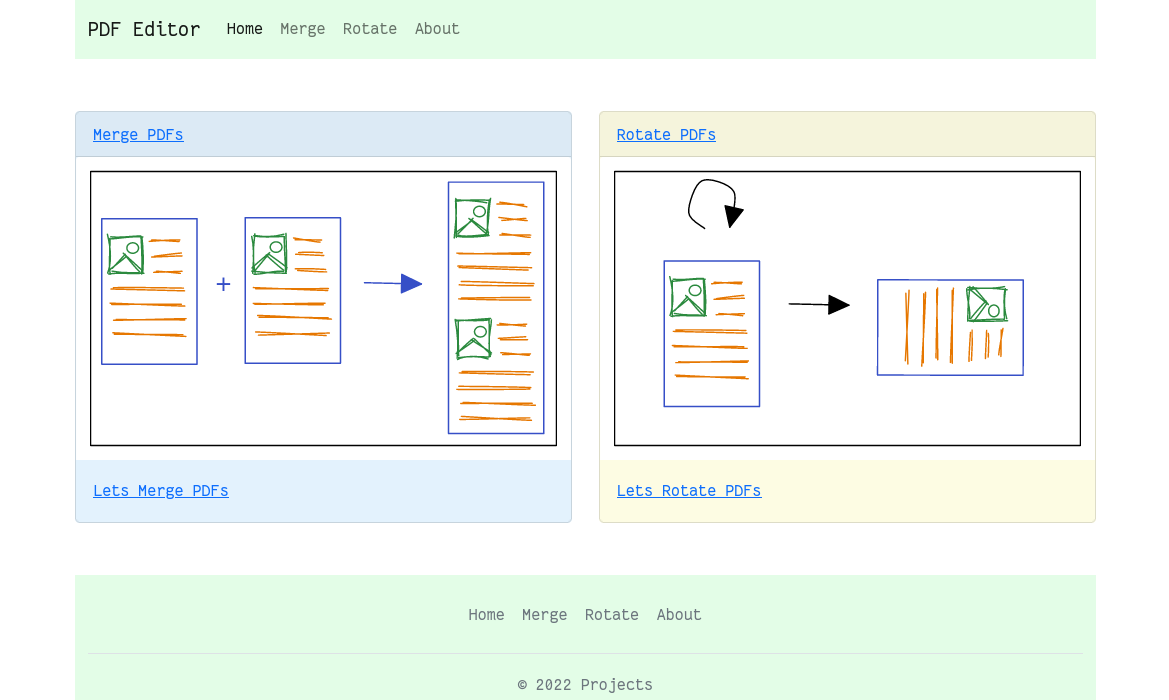
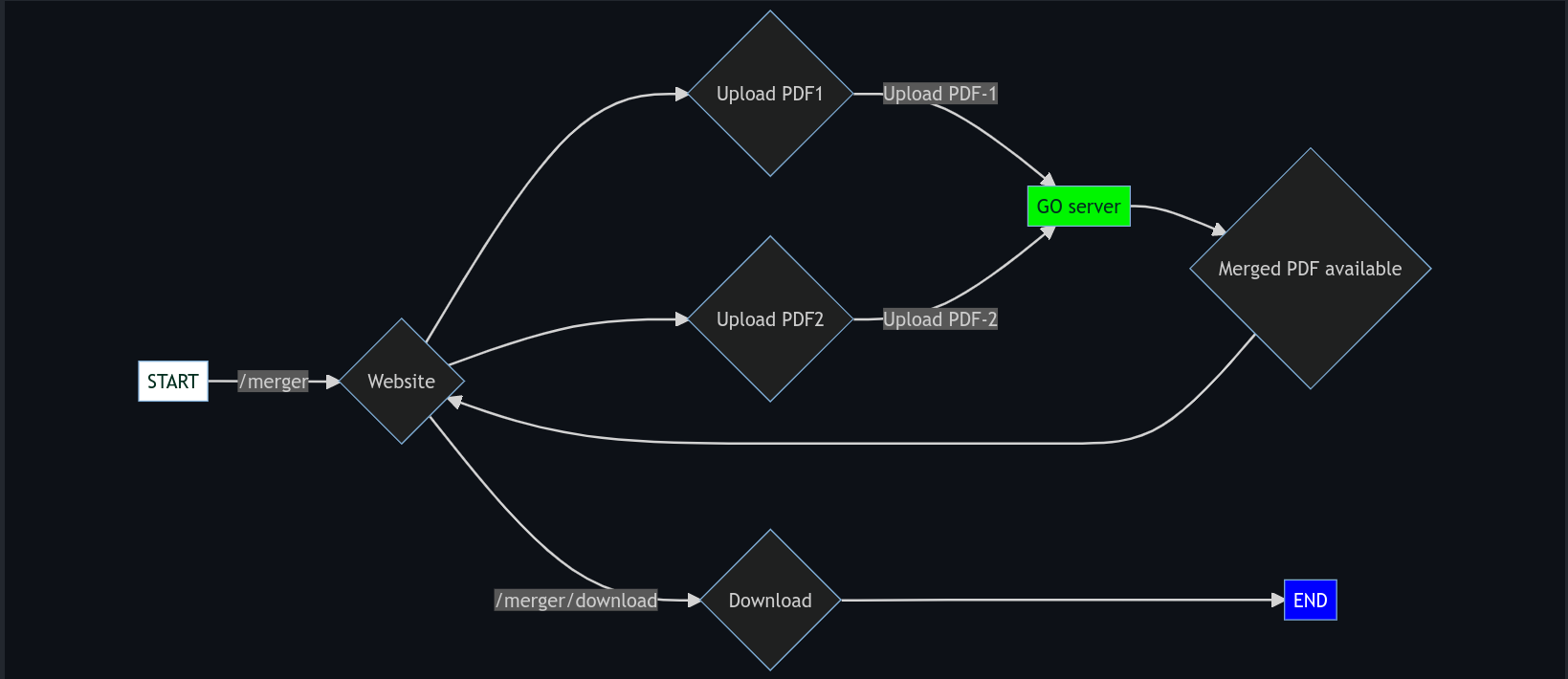
PDF-Merger #
PDF-Rotator #

For the first few versions, it was a monolithic application, later converted to a microservice architecture
Objective #
-
Helps in understanding JavaScript, Golang codebase
-
A platform to implement DevOps methodology
-
To make it useful to the end-user
-
To use unit test of Golang and JavaScript
Tech stack #
-
Go
-
JavaScript
-
Docker
All the files mentioned are in https://github.com/dipankardas011/PDF-Editor
Followed the DevOps roadmap
https://www.youtube.com/watch?v=7l_n97Mt0ko
Cloud Native Tools #
Before going any further you need to know about the different components and how they communicate.

Folder structure

Docker #
First lets start with Dockerfiles, here we used multiple stages for different use cases. To build and run multiple containers at once, use the Docker-compose
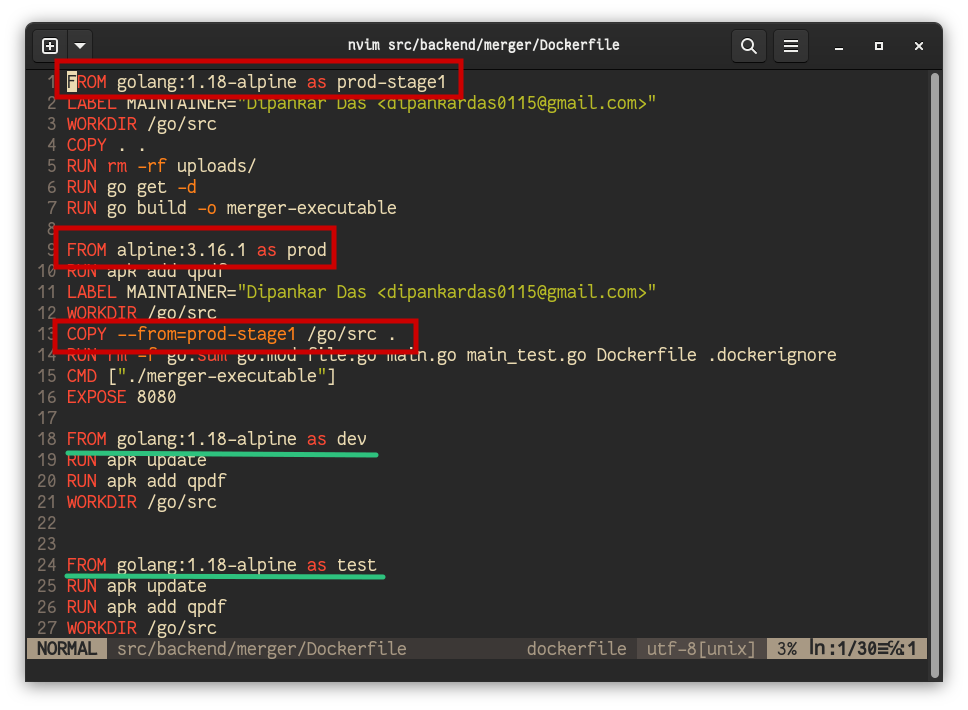
from src/backend/merger/Dockerfile In the above figure
prod-stage1 -> build the executable for prod stage to consume
prod -> alpine image(reduced functionality and size) copy executable and templates directory to production image so that we can run as a production app
dev -> for development use where we mount the ${PWD}:/go/src/ and then work on the project without having to rely on the local computer go installation
test -> for testing the code using the docker image
Here in the prod stage we don't require the go binary only need the template and exec file for running the app and thereby reducing the final built image
For Docker workshop
https://www.youtube.com/watch?v=EUu1E_YKGTw
Kubernetes #
As there were multiple containers I needed something to orchestrate them, docker-compose should work but I wanted something robust, so learned Kubernetes.
Created a deployment for backend and frontend, also learned how to attach volumes to the deployment for the backend container, added init-containers to load the data into the volume.
deploy/backend -> backend YAML files
deploy/frontend -> frontend YAML files
deploy/monitoring -> tracing, monitoring, visualization YAML files
Created the ingress rules (Used Nginx ingress) to connect to my app locally without relying on port-forward & Nodeport
Connected the persistence volume and persistence volume claim for the backend.
Used minikube as a production cluster (pdf-editor) (local system) as its free and minikube clusters can be stopped and started keeping Kubernetes data persistent which is not the case with kind.
minikube start --memory='3Gi' --nodes=2 -p pdf-editor
In the above image it has Argo rollouts deployment so you see canary
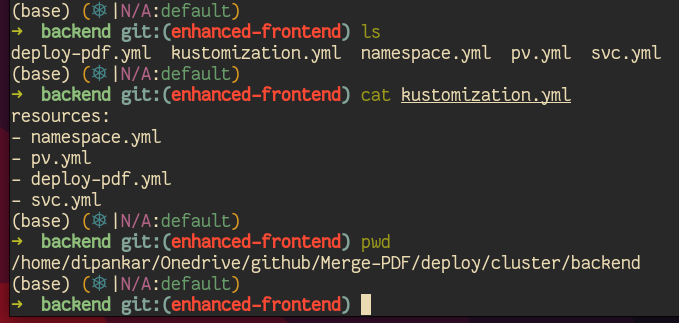
Kustomization for controlled deployment to cluster
Helm charts: Fun fact are not needed but created and deployed to the artifact Hub.
For basic deployment with no rollouts I used
deploy/cluster/backendanddeploy/cluster/frontendthere is alsodeploy/cluster/monitoringfor monitoring and tracing deployments

Want to get started with Kubernetes? Check out this workshop.
https://www.youtube.com/watch?v=PN3VqbZqmD8
Argo CD #
Next I learned about Argo projects and implemented a simple ArgoCD. Also used advance concepts such as Argo Rollouts to have Blue-Green rollouts and Canary rollouts also configured & used Ingress
Added Horizontal pod autoscaler

using labels we create an event that when target CPU Utilization >= 80 then add more pods max of 4 or 6 in case of backend path of all the configs
deploy/canary
Canary rollouts for Frontend and Blue-green for backend components

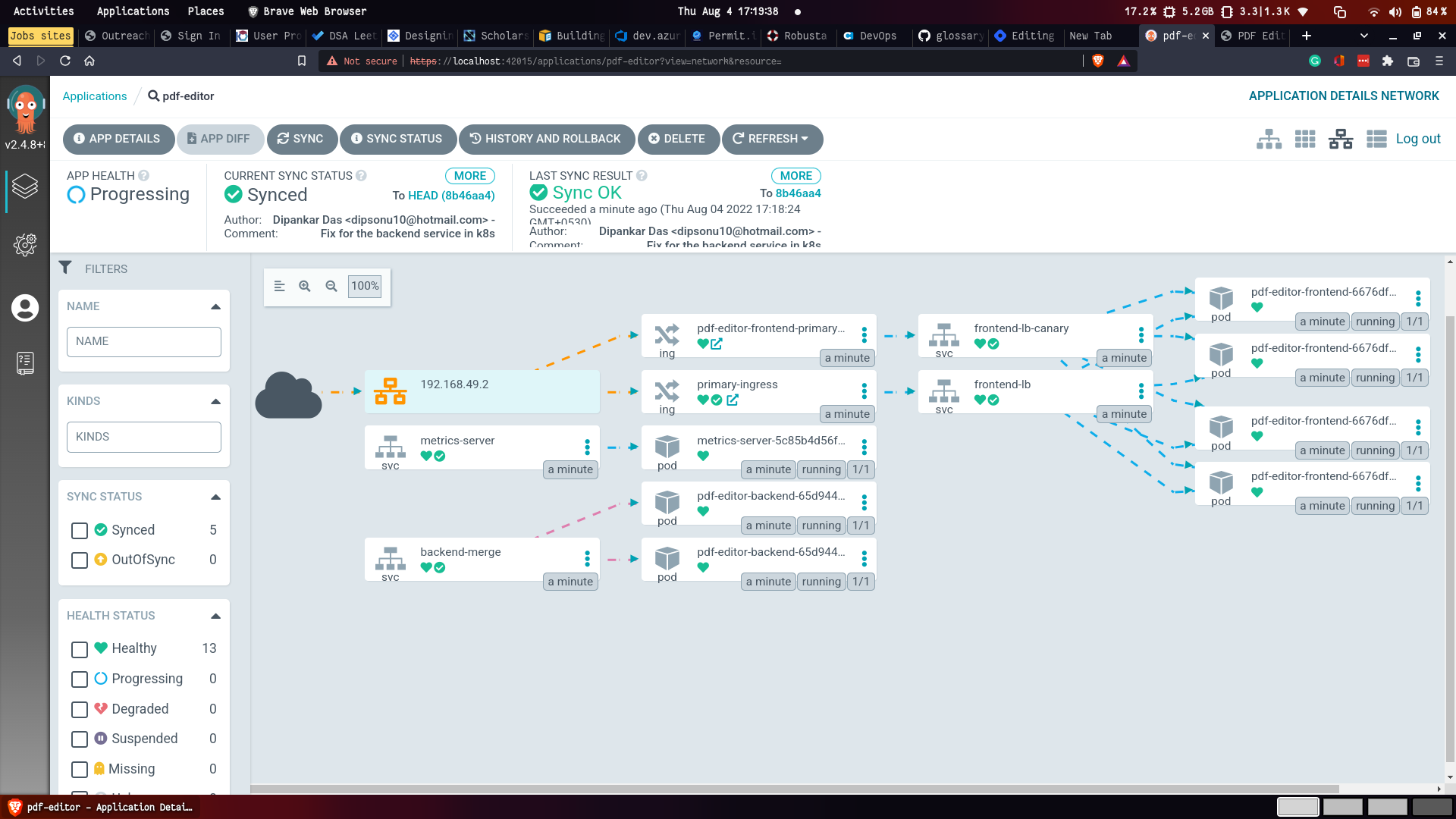
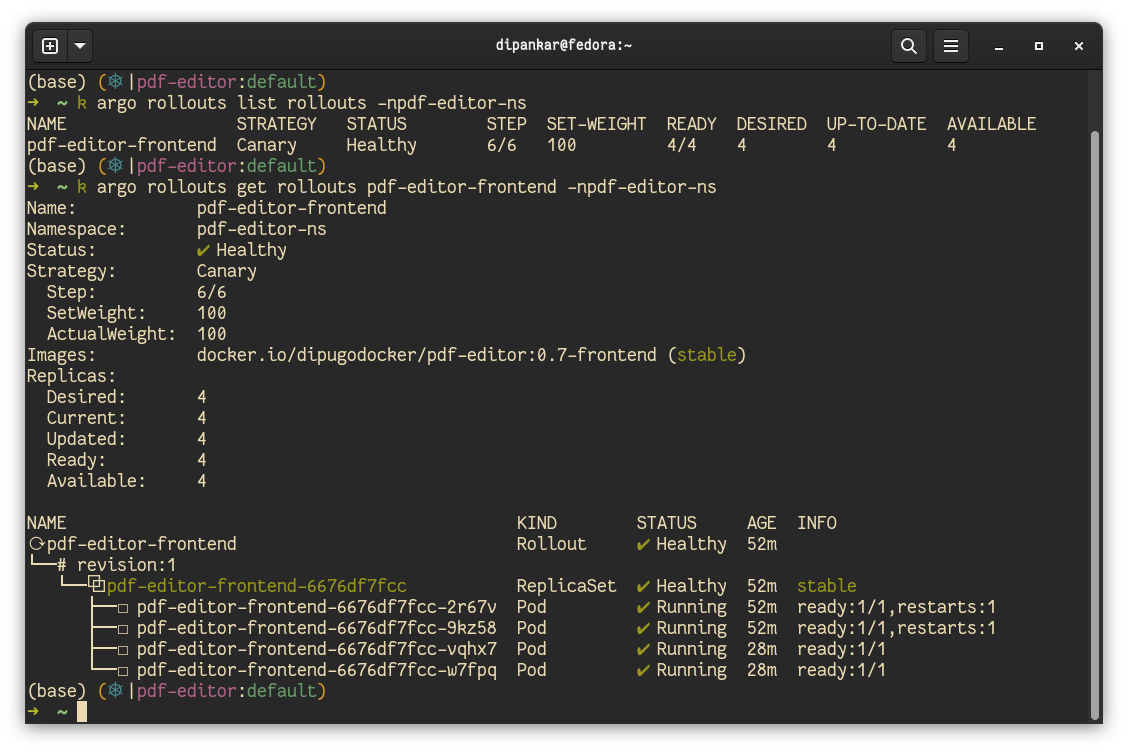
https://blog.kubesimplify.com/progressive-rollouts-with-argo-cd-rollouts
https://twitter.com/DipankarDas011/status/1544289031386976258?s=20&t=RjRlAh-NIvSWX00nmqskoA
AWS with Terraform #
Used Terraform Cloud to provision the infrastructure to deploy the latest version of the app to AWS EC2 instance for Staging
https://blog.kubesimplify.com/deploy-a-simple-server-using-aws-terraform
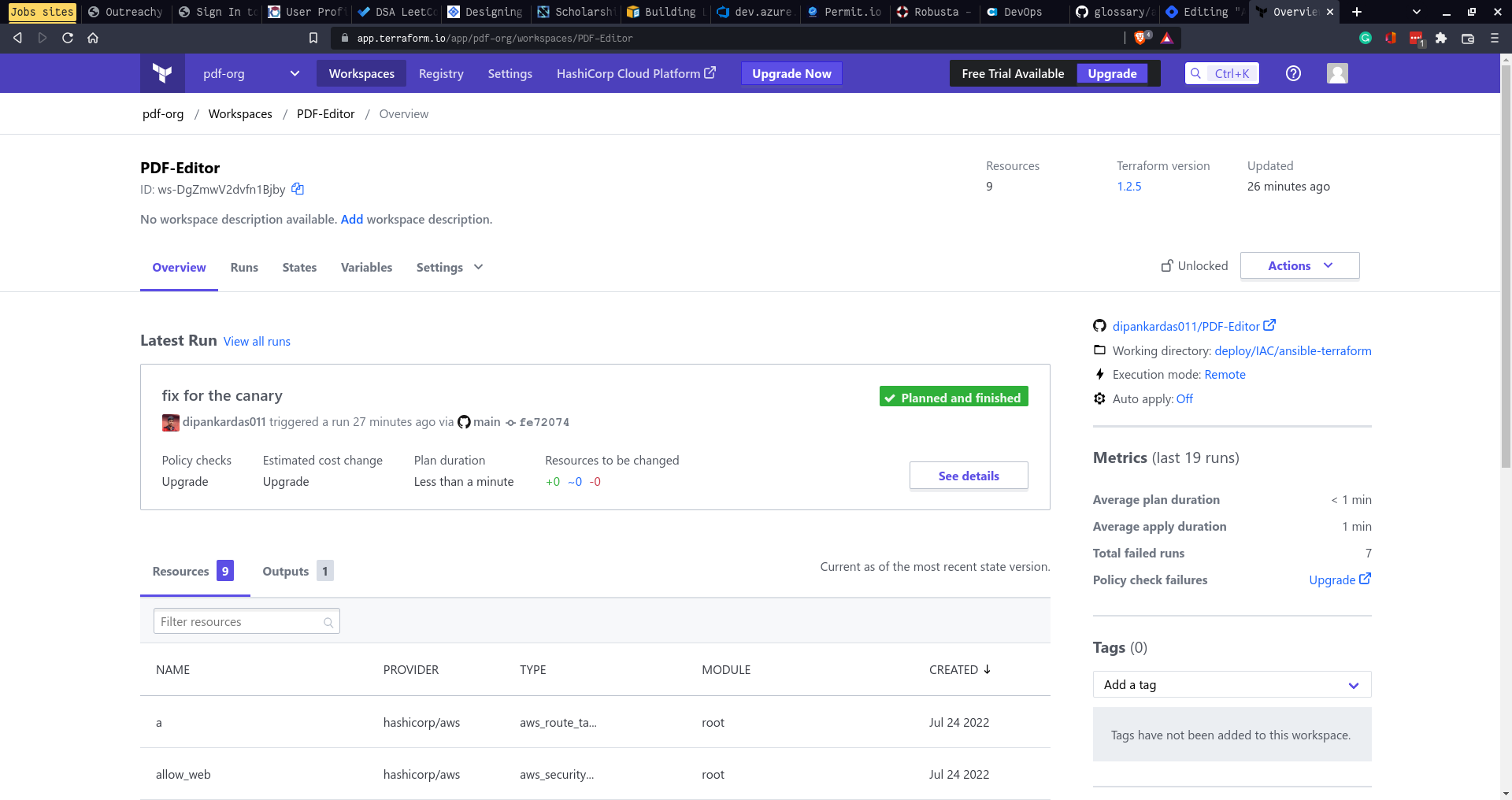

EC2 instance dashboard


Azure Web apps #
Used Docker-compose for Production
It is a manual deployment as docker-compose Linux app web is not available in IAC


Policy #
Datree #
For the validation checks of Helm, Kustomize, YAML files I used Datree.

Example of one of them

Synk #
Used Synk for vulnerability report of the entire GitHub Repo and Docker repo as well

Aqua #
Used for container vulnerability scans

Kyverno #
Used to have policies imposed on the K8s cluster, like no use of Nodeport for security reasons
Used for policy enforcement, like no pod should have escalated privileges


Jenkins #
It's a CI/CD tool. It can work with any software and can also be integrated with Kubernetes Implemented a simple CI Jenkinsfile pipeline
Docker runs the Jenkins server container and then attached my host computer as an agent so that we can use all the tools available

It listens to the GitHub main branch


Ansible in Jenkins #
Used Ansible Playbooks to configure and update the staging environment to latest alpha and beta release


Config are in deploy/IAC/ansible-terraform
Here is learning material
https://blog.kubesimplify.com/lets-talk-about-ansible
Tekton #
Used creating CI/CD Pipeline with the help of K8s
Created tasks and pipeline for trying out the tool
present in deploy/tekton-ci
created task (basic execution unit in tekton) then used them in the pipeline
https://twitter.com/DipankarDas011/status/1547935040327548930?s=20&t=RjRlAh-NIvSWX00nmqskoA
Signing with Cosign #
Used to sign the Docker Images
https://twitter.com/DipankarDas011/status/1546349997444468736?s=20&t=RjRlAh-NIvSWX00nmqskoA

Monitoring #
All the files are in deploy/cluster/monitoring and in deploy/Logging

Prometheus(Metrics) #
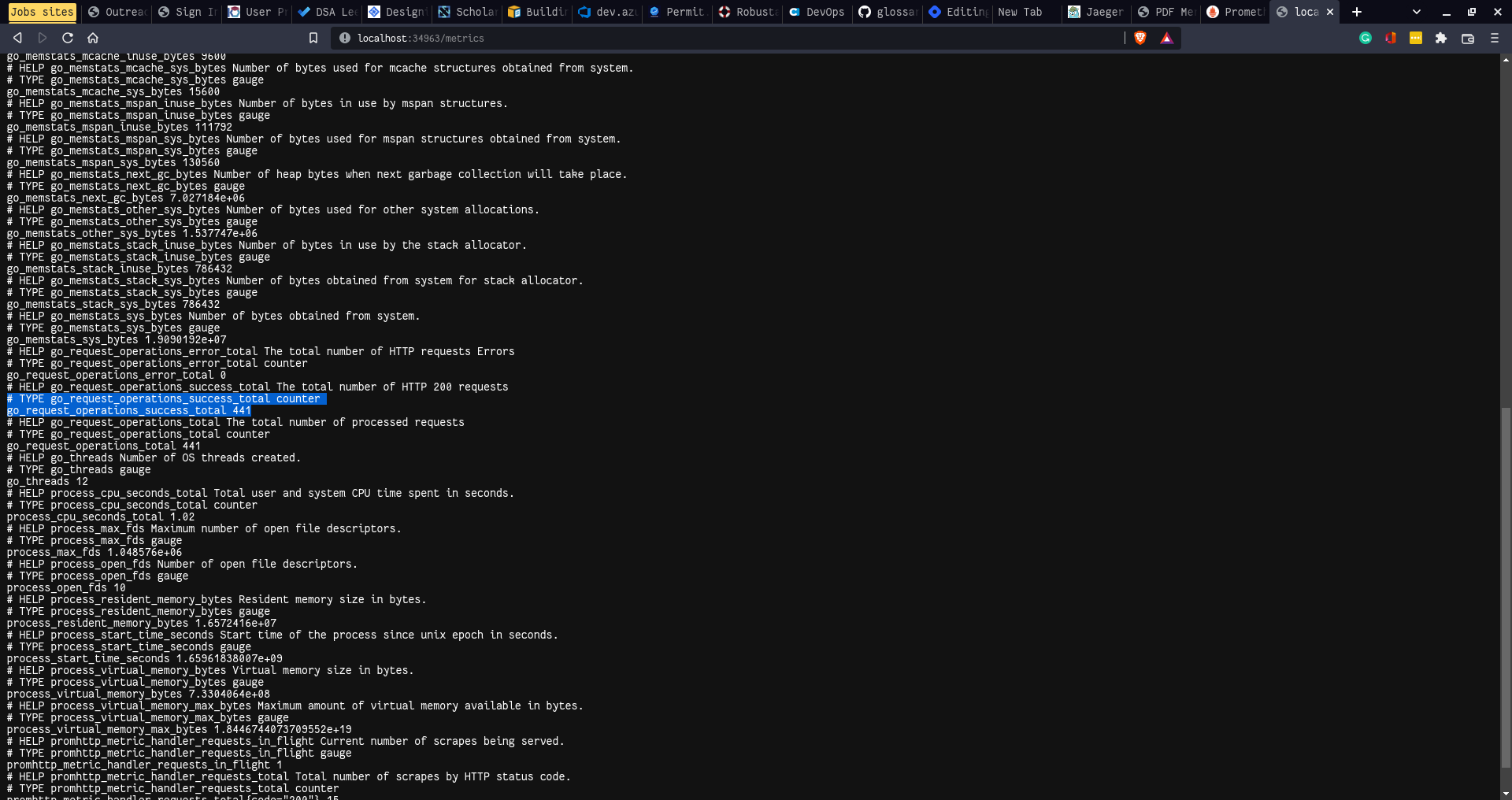
Used to get telemetry from the application of interest. With custom scrape metrics config for application



Grafana(Visualization and Dashboards) #
it is a visualization tool for all kinds of data sources be it databases, time series, logs, traces.
Created custom dashboard to count the number of 200, 500 HTTP status codes received


Jaeger (tracing) #
Used OpenTelemetry and Jaeger for tracing backend calls


https://twitter.com/DipankarDas011/status/1544633495062200320?s=20&t=AAQD6SRl-AHXVEpDEV06Aw
Loki + Fluent-bit (Logging) #
Used the Fluent-bit to extract the container Logs applied filter and output to the Loki service which is a log aggregation system by Grafana
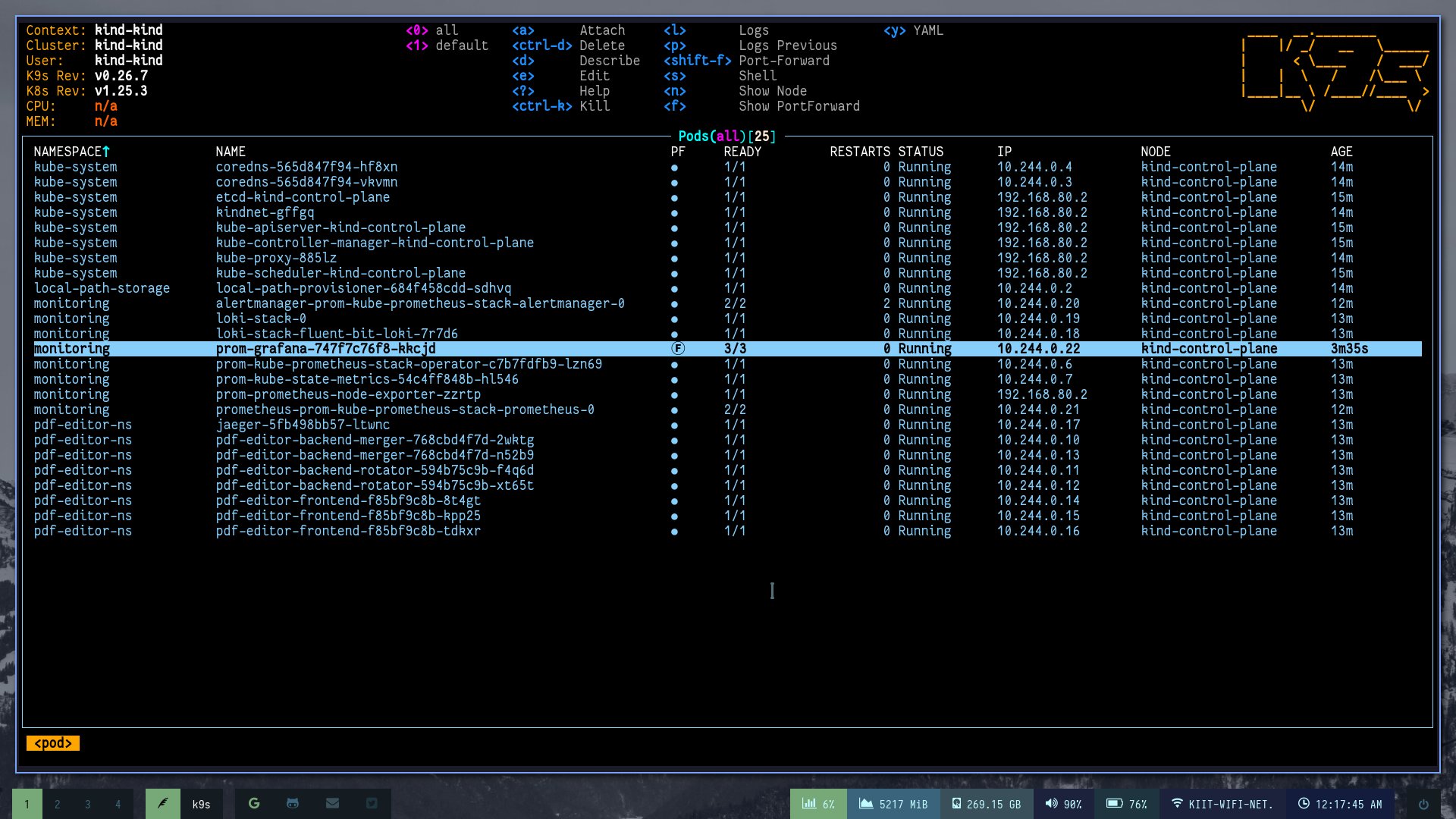
Here are the logs collected

https://twitter.com/DipankarDas011/status/1613608866427863041?s=20&t=Uuj9aLVv8iGUR1Kg2rmWuw
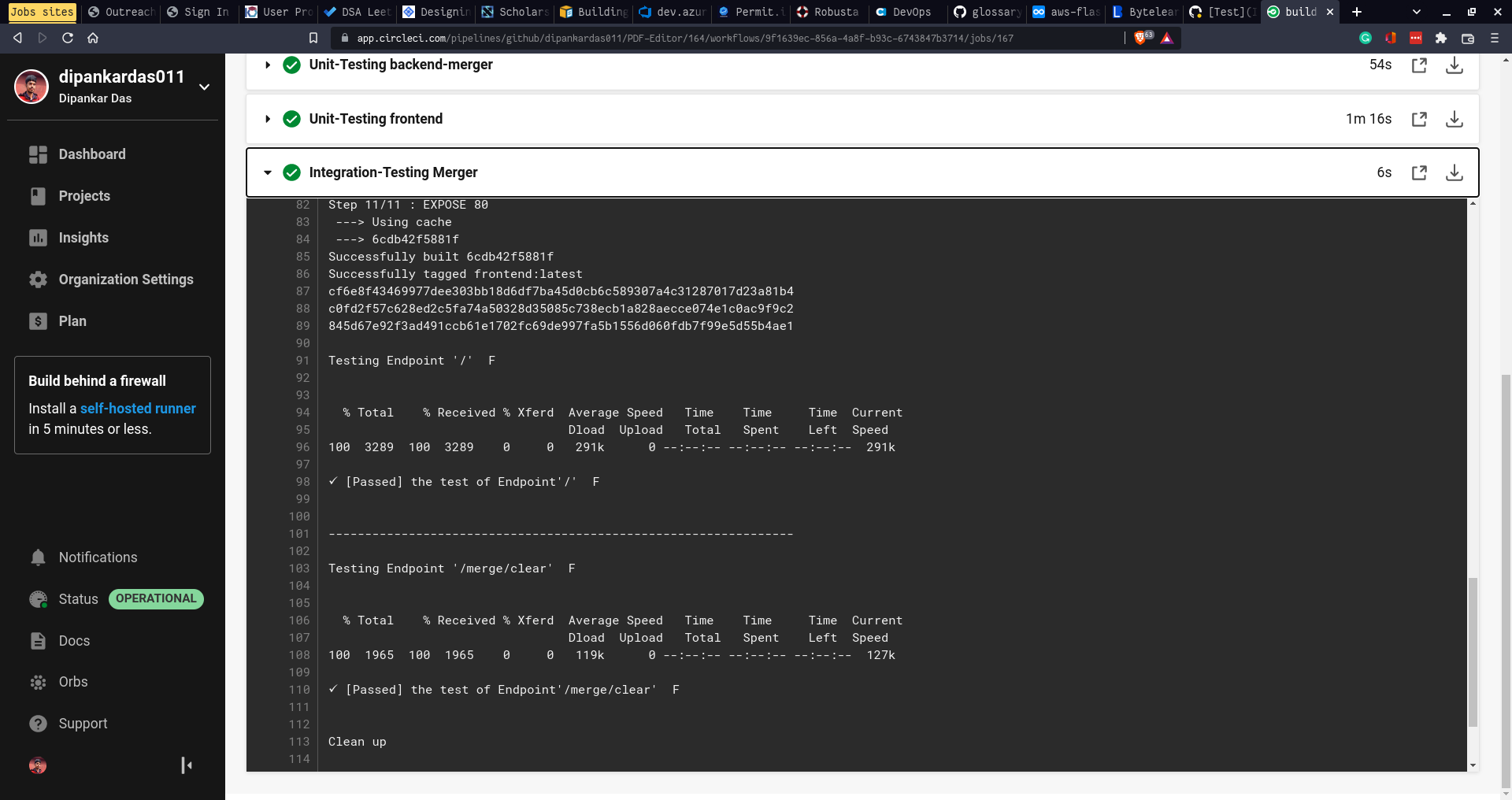
CircleCI #
Used the platform for automated Unit, Integration testing
DevOps #

-
Used the Terraform Cloud for the Terraform workflows
-
For the continuous testing used the standard Jest and GO testing libraries and added them to the Github actions with trigger for the Pull requests and Push to main branch
-
To use multiple Automation tools added CircleCI for test cases
-
added PR and Issue templates
Finally, these tools really helped me out
-
VSCode for all the coding
-
Lens K8s IDE Amazing tool for managing your K8s using a UI
-
Monokle by Kubeshop

Helped with adding correct labels for pods and their corresponding services
Currently working on -
-
more than 2 PDF merge
-
Rotate PDFs and more
Further Links: SRS Github Repo
Finally thanks to Kubesimplify for allowing me to showcase my project🙏 Hope this blog is helpful 🥳
Follow Kubesimplify on Hashnode, Twitter and Linkedin. Join our Discord server to learn with us.
DevOps, Development and CLoud related stuff Kubesimplify ambassador and a OSS contributor to various CNCF projects
Get new posts in your inbox.
Spotted a typo or want to improve this post? Edit on GitHub →