The Local LLM Glossary: Every Term, Flag, and Number in Plain English
Plain-English definitions for every term you hit in local LLM posts: prefill and decode, tokens per second, FP8 and NVFP4, Q4_K_M, KV cache, YaRN, Gated DeltaNet, speculative decoding, and every vLLM, llama.cpp, and Ollama flag worth knowing.
On this page (13)
- Start here: the two halves of every request
- Reading a benchmark table
- Why the numbers come out the way they do
- Quantization: decoding the format names
- Context, attention, and the KV cache
- Speed tricks
- The flags you copy-paste
- vLLM and sparkrun recipes
- llama.cpp
- Ollama
- Sampling knobs
- Hardware words
- Where to go next
Every local LLM post, mine included, is full of shorthand: pp2048, tg128, FP8, UD-Q4_K_XL, KV cache, gpu_memory_utilization: 0.8, MTP, YaRN. If you live in this world daily it reads fine. If you do not, it reads like a wall of magic strings.
So here is the glossary. Every term, flag, and number that shows up across the local LLM and DGX Spark posts on this blog, explained in plain English, with the reason it matters rather than just the expansion of the acronym.
You do not need to read this top to bottom. Ctrl+F the thing that confused you, get your answer, go back to the post you came from.
Start here: the two halves of every request #
Almost everything in this glossary makes more sense once you have these two words straight.
Prefill (also called prompt processing) is the model reading your input. Every token of your prompt can be processed at the same time, in parallel, because they are all already known. This is why prefill numbers look big: 800 to 4,000 tokens per second is normal on a DGX Spark.
Decode (also called generation) is the model writing its answer. It produces one token, feeds that token back in, produces the next. Each step depends on the one before it, so there is nothing to parallelize. This is why decode numbers look small: 8 to 30 tokens per second for a 27B model on the same box.
When someone says "the model feels slow," they nearly always mean decode. When someone says "it took ages before anything appeared," they mean prefill.
Day 2 of the Local LLM series walks a single request through both halves step by step if you want the long version.
Reading a benchmark table #
Token. The unit models actually read and write. Roughly three quarters of an English word on average, so 1,000 tokens is about 750 words. Numbers, code, and punctuation eat more tokens than plain prose.
t/s (tokens per second). The throughput unit for both halves above. Always ask which half it refers to, because prefill t/s and decode t/s can differ by 100x on the same machine.
TTFT (time to first token). How long from pressing enter until the first word appears. Dominated by prefill, so it grows with prompt length.
pp512, pp2048. pp is prompt processing, the number is how many tokens of prompt. pp2048 means "prefill throughput measured on a 2,048 token prompt." These names come from llama-bench and stuck as a convention.
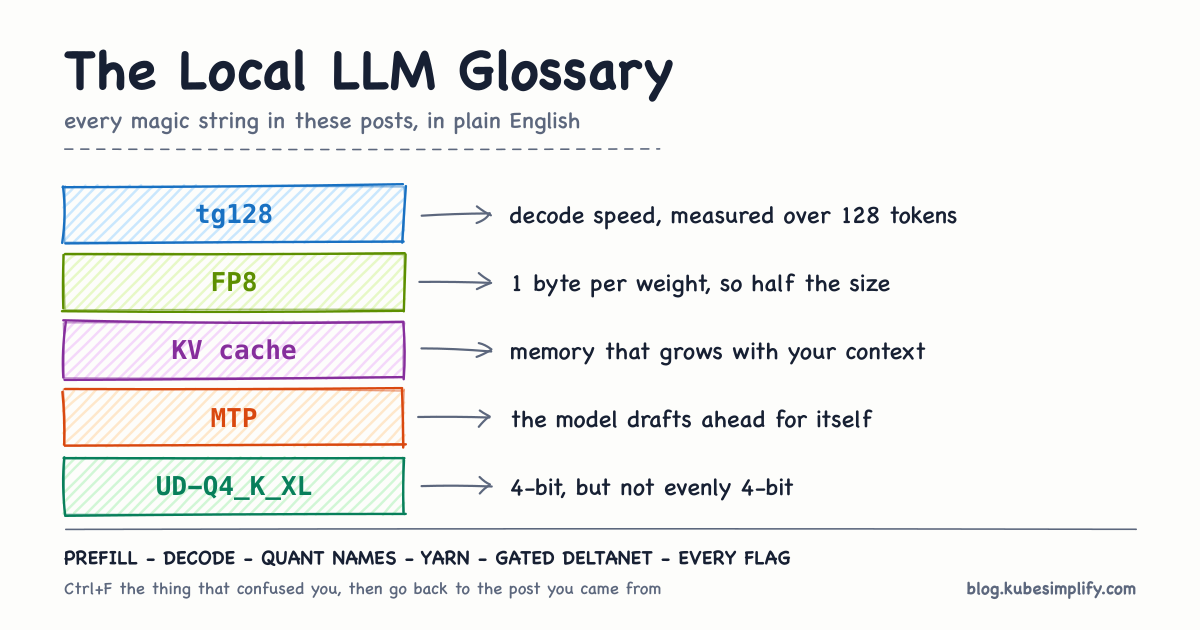
tg128, tg32. tg is token generation, the number is how many tokens were generated. tg128 means "decode throughput measured while generating 128 tokens."
Depth (context depth). How much conversation or document was already in the context window before the measurement started. depth 0 is a cold, empty context. depth 32768 means the model was already holding 32K tokens. Decode usually slows down as depth grows, and how much it slows is one of the more interesting things about a model's architecture.
Concurrency. How many requests were in flight at once. c=1 is one user. c=10 is ten simultaneous requests, which is what serving a team or a fleet of agents actually looks like.
Aggregate vs per request. At concurrency 10 you get two decode numbers. Aggregate is all ten requests added together, which is what a server operator cares about. Per request is what each individual user experiences, which is always lower. A box doing 84 t/s aggregate across 10 users is giving each of them about 9 t/s.
Why the numbers come out the way they do #
This is the section that makes bad benchmark numbers stop being mysterious.
Memory bandwidth. How many gigabytes per second the chip can read out of memory. The DGX Spark's GB10 does about 273 GB/s. A discrete RTX PRO 6000 does roughly 6x that. This single number sets the ceiling for decode.
Weight streaming. To produce one token, a dense model has to read every one of its weights out of memory. A 16.7GB model at 273 GB/s can therefore do at most about 16 tokens per second, no matter how fast the compute is. Measured 11.6 t/s against a 16 t/s theoretical ceiling is about 70% of peak, which is what real kernels achieve.
The mental model I keep coming back to: it is like re-reading an entire book off the shelf before you can write each next word. Your reading speed sets the pace, not how fast you can think.
Bandwidth-bound vs compute-bound. Decode is bandwidth-bound: the chip is waiting on memory, and the tensor cores are mostly idle. Prefill is compute-bound: there is enough parallel work to actually saturate the math units. This is why the same box can look fast and slow within one request, and why halving your model size roughly doubles decode but barely moves prefill.
Unified memory. On the GB10 the CPU and GPU share one pool of memory (128GB, of which about 121.7 GiB is addressable) rather than the GPU having its own separate VRAM. Two consequences: big models fit without a discrete card's memory limit, and every process on the box competes for the same pool. If a llama.cpp container is still holding 18GB, your vLLM launch will fail on memory it can see but not have.
VRAM. The dedicated memory on a discrete GPU. On a unified-memory box like the Spark there is no separate VRAM, which trips up tools that assume there is.
Dense vs MoE. A dense model uses all its parameters for every token. A Mixture of Experts model has many parameters but routes each token through only a few of them, so a 30B MoE with 3B active parameters streams roughly 3B worth of weights per token and feels dramatically faster. This is the whole reason a 30B MoE can hit 100+ t/s on a Spark while a real dense 27B sits at 11.
Active parameters. The subset of an MoE's weights actually used per token. Written like 2.4T-A95B, meaning 2.4 trillion total parameters, 95 billion active. Active is the number that predicts speed. Total is the number that predicts memory.
Quantization: decoding the format names #
Quantization is storing the model's numbers in fewer bits. Fewer bits means fewer gigabytes to stream per token, which means faster decode, at some cost in quality. Day 4 is the full treatment; this is the lookup table.
| Format | Bits per weight | What to know |
|---|---|---|
| FP32 | 32 (4 bytes) | Full precision. Almost nobody serves at this. |
| BF16 / FP16 | 16 (2 bytes) | The reference quality. A 27B model is about 54GB. |
| FP8 | 8 (1 byte) | Halves the size with very little quality loss. Native on Hopper and Blackwell. A 27B is about 29GB. |
| INT4 | 4 (0.5 bytes) | Generic 4-bit integer. Quality depends heavily on how it was produced. |
| NVFP4 | 4 | NVIDIA's 4-bit float with fine-grained scaling, with native tensor core support on Blackwell (so on GB10). Usually the best speed on this hardware. |
| MXFP4 | 4 | Open Compute Project's 4-bit micro-scaling float. Same idea, different standard body. |
GGUF. The single-file model format llama.cpp and Ollama use. It packs weights plus metadata plus tokenizer into one file you can move around. Not a precision, a container: a GGUF file also has a quantization type inside it.
Q4_K_M, Q4_K_XL and friends. The llama.cpp quantization naming scheme, three parts stacked:
Q4is 4 bits per weight._Kis the K-quant layout. Instead of one scaling factor for a whole tensor, weights are stored in super-blocks of 256 that are split into blocks of 32, each carrying its own quantized scale. Outlier weights then only distort their own block of 32 rather than dragging a whole tensor's precision down.- The last letter is a size tier:
Ssmall,Mmedium,Llarge,XLextra large. Higher tiers spend extra bits on the tensors that matter most, so the file is a bit bigger and the quality a bit better.
UD (Unsloth Dynamic). A prefix like UD-Q4_K_XL means the layers were deliberately not all quantized to the same width. Embeddings and the first and last blocks keep more bits because everything downstream depends on them, while the more redundant middle feed-forward layers get squeezed harder. The result holds up better than a uniform 4-bit quant of the same file size.
Checkpoint. A published set of weights, usually a Hugging Face repo at a specific revision. "The official FP8 checkpoint" means the model author's own FP8 publication, as opposed to a community requantization.
Marlin. A family of fast GPU kernels for quantized matrix multiplication in vLLM. VLLM_MARLIN_USE_ATOMIC_ADD: '1' switches those kernels to atomic accumulation, which is a correctness and performance workaround on some GPU and shape combinations. It is the kind of environment variable you copy from a working recipe rather than derive.
Bytes per parameter arithmetic. The one calculation worth memorizing: parameters times bytes per parameter equals weight size. 27B at FP8 is about 27GB, at 4-bit about 16GB, at BF16 about 54GB. Then add KV cache and runtime overhead on top.
Context, attention, and the KV cache #
Context window. The maximum number of tokens the model can have in front of it at once, prompt plus generated output plus any system message. 262,144 tokens is a large modern window, and it is often quoted as "262K" or "256K" loosely.
KV cache. As the model reads your prompt, each attention layer computes key and value vectors per token, and caches them so it does not recompute them for every subsequent token. Very effective, but the cache grows linearly with context length and with the number of concurrent requests, and it lives in the same memory pool as the weights. Long contexts and many users both eat memory here, not in the weights.
KV cache dtype. The precision the cache is stored at. Storing it at fp8 instead of 16-bit roughly halves cache memory, letting you serve longer contexts or more users on the same box, at a small accuracy cost.
Prefix caching. If two requests share the same beginning (a system prompt, a document, a conversation so far), the runtime can reuse the KV cache from the shared part instead of prefilling it again. Enormous win for chat and agent workloads where 90% of every request is the same prefix. In vLLM this is --enable-prefix-caching.
Attention. The mechanism that lets each token look at the other tokens in context and decide what is relevant. Standard ("full") attention lets every token look at every previous token, which is powerful and gets more expensive as context grows.
Flash attention. A way of computing attention that avoids writing the giant intermediate attention matrix to memory, making it much faster and much cheaper in memory. Effectively always worth turning on: -fa on in llama.cpp.
Attention backend. Which implementation of attention the serving engine actually calls. In vLLM you might see flashinfer, flash_attn, or xformers. FlashInfer is a library of highly tuned attention and GEMM kernels; on the Spark's sm121 architecture it picks the xqa decode kernel and supports an FP8 KV cache. Different backends can differ by 2x on the same hardware, which is why recipes pin one.
Linear attention. An alternative that keeps a fixed-size running state instead of a cache that grows with every token. Cheaper and flat in context length, but with less precise recall than full attention. Modern models often use a hybrid: a few full attention layers for precise recall, the rest linear.
Gated DeltaNet. The specific linear attention design used by recent Qwen models. The gate decides how fast old memory fades, and the delta rule writes targeted corrections into the fixed-size state rather than appending to an ever-growing list. The state is the same size at token 100,000 as it is at token 10, which is exactly why decode speed on these models barely sags as context grows. In Qwen3.8-27B, 48 of 64 layers are Gated DeltaNet and every 4th layer is full gated attention.
RoPE (Rotary Position Embedding). How most models encode where a token sits in the sequence, by rotating the token's vector by an angle that depends on its position. Positions the model never saw in training land at angles it does not understand, which is why context windows have a hard native limit.
YaRN (Yet another RoPE extensioN). A technique for stretching that limit. It rescales the positional frequencies, stretching each one differently depending on its wavelength, so the model can address positions well beyond its training range without a full retrain. "262K native, extensible to 1M with YaRN" means the extra range is available but is an extension, not a native capability.
Vision encoder and mmproj. A vision language model ships a separate encoder that turns images into tokens the language model can read. In GGUF land that encoder is a companion file called mmproj (multimodal projector). No mmproj, no images, even if the model is capable of them.
Thinking mode. Models that emit reasoning inside <think> blocks before their actual answer. Better on hard problems, more tokens spent, so slower and more expensive per reply. Vendors publish different recommended sampling settings for thinking and non-thinking modes.
Reasoning parser and tool call parser. Server-side parsers that pull those <think> blocks and any tool or function calls out of the raw token stream and put them in the right fields of the OpenAI-compatible API response. Wrong parser and your client sees reasoning text glued into the answer, or tool calls it cannot recognize. These are per model family: reasoning_parser: qwen3, tool_call_parser: qwen3_coder.
Speed tricks #
Batching / continuous batching. Running several requests through one pass over the weights. Since decode is bandwidth-bound, one weight-streaming pass can feed 10 tokens for 10 different users at almost the cost of feeding 1. This is why aggregate throughput climbs with concurrency while per-user throughput barely drops, and it is the main thing production servers like vLLM and SGLang buy you over single-user tools.
Speculative decoding. A cheap model guesses the next few tokens, the real model verifies them all in one pass. Correct guesses are free tokens; wrong ones are discarded, so the output is identical to what the big model would have produced on its own. No quality risk, real speedup.
Draft model. The cheap guesser in that scheme, a small separate model. "DSpark" is a community-built 5-layer, ~2.6GB drafter for Qwen3.8-27B.
MTP (Multi-Token Prediction). The same trick with no separate model: the big model ships an extra head trained to predict several tokens ahead, and drafts for itself. Cheaper to deploy than a draft model since there is nothing extra to load. When Ollama serves a model 2x faster than llama.cpp on the same quantization, MTP being on by default is usually the reason.
NEXTN. SGLang's name for its MTP-style speculative path. Same idea, different engine.
Acceptance rate. The fraction of drafted tokens the real model accepts. This is the whole ballgame for speculative decoding, and it is a property of your workload, not of the model. Editing existing code, where the draft mostly copies text already in the prompt, can hit 98% acceptance and 3x speedups. Writing fresh prose or new code, where the drafter is genuinely guessing, might hit 30%. This is why a tokens-per-second number without its workload attached is close to meaningless.
k / num_speculative_tokens. How many tokens the drafter proposes per round. Higher k pays off when acceptance is high and wastes work when it is low.
Tensor parallel (TP). Splitting each layer's matrices across multiple GPUs so they all work on every token together. Needs fast interconnect between the cards. tensor_parallel_size: 2 means two GPUs.
Pipeline parallel (PP). Splitting the model by layer, so GPU 0 runs the first half and GPU 1 the second. Tolerates slower interconnect, but one card is idle while the other works unless you keep several requests in flight.
The flags you copy-paste #
vLLM and sparkrun recipes #
A sparkrun recipe is a YAML file that pins a model, a container, and the serving flags, so a working setup is one file rather than an afternoon of dependency fighting. The defaults: block is vLLM server arguments, and env: is environment variables passed into the container.
| Key | What it does | How to think about it |
|---|---|---|
gpu_memory_utilization: 0.8 | The share of GPU memory vLLM is allowed to claim up front, for weights plus KV cache | Higher means more KV cache, so longer contexts and more concurrent users. Too high and the launch fails or something else on the box starves. On unified memory, remember other processes share the pool. |
max_model_len: 131072 | The maximum context length the server will accept, in tokens | Can be lower than the model's native window, and often should be: every token of headroom you reserve costs KV cache memory. 131072 is 128K. |
max_num_batched_tokens: 32768 | Cap on how many tokens the scheduler puts into one forward pass | Bigger batches mean better prefill throughput and chunkier latency. This is the prefill throughput vs responsiveness dial. |
load_format: instanttensor | How weights are read off disk into memory | instanttensor is a fast-load path that gets a 29GB checkpoint resident in seconds once cached, instead of minutes. Pure startup time, no runtime effect. |
kv_cache_dtype: fp8 | Precision of the KV cache | Roughly halves cache memory versus 16-bit, so you fit longer contexts or more users. Small accuracy cost. |
attention_backend: flashinfer | Which attention kernel library to use | On the Spark's sm121, FlashInfer gets the fast decode path and FP8 KV cache support. |
tool_call_parser: qwen3_coder | Extracts tool and function calls from the token stream | Must match the model family, or your agent framework sees plain text where it expected a structured call. |
reasoning_parser: qwen3 | Extracts <think> blocks into the response's reasoning field | Must match the model family, or reasoning text leaks into the answer. |
VLLM_MARLIN_USE_ATOMIC_ADD: '1' | Environment variable switching Marlin quantized kernels to atomic accumulation | A hardware-specific workaround. Copy it from a working recipe. |
--enable-prefix-caching | Reuses KV cache across requests that share a prefix | Big win for chat and agents, effectively free. |
speculative_config | Turns on speculative decoding, e.g. {"method": "mtp", "num_speculative_tokens": 3} | See MTP and acceptance rate above. |
llama.cpp #
| Flag | What it does |
|---|---|
-hf <repo>:<quant> | Pulls the GGUF straight from Hugging Face. Note recent builds cache into /root/.cache/huggingface, not the old llama.cpp path, which matters when you mount a volume. |
-ngl 99 | Number of layers to offload to the GPU. 99 is the idiomatic "all of them," since anything left on the CPU is dramatically slower. |
-c 32768 | Context size in tokens for this server instance. Larger costs KV cache memory. |
-fa on / -fa 1 | Flash attention. Turn it on. |
--host 0.0.0.0 --port 8091 | Bind address and port for the OpenAI-compatible server. |
mmproj-*.gguf | The vision projector file. Present in the repo means images work. |
llama-bench is llama.cpp's built-in benchmark, and it is where pp512/tg128 style names come from.
Ollama #
| Thing | What it does |
|---|---|
num_ctx | Context size, Ollama's equivalent of -c. Ollama picks a default from available memory. |
num_predict | Maximum tokens to generate in a reply. |
ollama ps | Shows loaded models and, critically, whether they are on GPU. If it says anything less than 100% GPU, your benchmark is measuring the CPU and will be 3 to 5x too slow. |
prompt_eval_count / eval_count | Ollama's own counters for prompt tokens and generated tokens, with matching _duration fields in nanoseconds. Divide to get t/s. |
Sampling knobs #
These control how the next token is picked from the model's probability distribution. They change output style, not speed.
- temperature. How much randomness. 0 is deterministic and repetitive, 1.0 is creative, above about 1.2 usually becomes incoherent. Use 0 when benchmarking so runs are comparable.
- top_p (nucleus sampling). Only consider tokens inside the top cumulative probability mass, e.g. 0.95. Cuts off the long tail of unlikely tokens.
- top_k. Only consider the k most likely tokens, e.g. 20.
Model authors publish recommended values per mode, and it is worth using theirs. Qwen3.8's thinking mode wants temp 1.0 / top_p 0.95 / top_k 20, non-thinking wants temp 0.7 / top_p 0.80.
Hardware words #
GB10. The Grace Blackwell superchip inside the DGX Spark: Arm CPU plus Blackwell GPU plus 128GB of unified LPDDR5X at about 273 GB/s.
sm_121 / compute capability. NVIDIA's architecture version tag for a GPU. GB10 is sm_121. Kernels have to be compiled for your architecture, so "supports sm121" in a release note is the difference between working and not. Day 3 covers the Spark's hardware story in detail.
Tensor cores. The dedicated matrix multiply units. Which precisions they support natively (FP8 and FP4 on Blackwell) decides which quantization is genuinely fast rather than merely smaller.
GB vs GiB. GB is 1,000^3 bytes, GiB is 1,024^3. A "128GB" box reports about 119 GiB, and vendors and tools mix the two freely. When a number looks 7% off, this is usually why.
nvidia-smi on GB10. Cannot report memory usage on this chip and prints Not Supported. Use free -h, since the memory is unified anyway.
Where to go next #
If you want these terms in context rather than as a list, the Local LLM series builds them up in order:
- Day 1: The Local LLM Revolution, why running models locally became viable at all
- Day 2: Anatomy of an LLM Inference Request, prefill and decode end to end
- Day 3: The DGX Spark Unpacked, the hardware and why bandwidth rules everything
- Day 4: Quantization Demystified, every format name in depth
- Day 5: Inference Engines and What to Pick, Ollama vs llama.cpp vs vLLM vs SGLang
And if a term bit you that is not defined here, tell me and I will add it. That is what this page is for.
Frequently asked questions
What is the difference between prefill and decode?+
Prefill is the model reading your prompt. It processes every input token in parallel, so it is fast and measured in the hundreds or thousands of tokens per second. Decode is the model writing its answer, one token at a time, where each token has to wait for the one before it. Decode is almost always the slower number and the one you feel while waiting for a reply.
Why is my local model slower than the tokens-per-second number someone posted?+
Almost always one of four things: they ran a smaller quantization so fewer gigabytes stream per token, they had speculative decoding on and you do not, they measured aggregate throughput across many concurrent requests instead of a single stream, or their workload was edit-heavy where a draft model gets accepted most of the time. A tokens-per-second number without its quantization, concurrency, and workload attached does not mean much.
What does Q4_K_M actually mean?+
Q4 is 4 bits per weight, K means llama.cpp's K-quant layout where weights are grouped into super-blocks of 256 with per-block scales rather than one scale per tensor, and M is the medium size tier, which keeps a few important tensors at higher precision. Bigger tier letters (L, XL) spend more bits on the tensors that matter most and produce a slightly larger, slightly better file.
How much memory does a model need?+
Start with bytes per parameter times parameter count: BF16 is 2 bytes, FP8 is 1 byte, 4-bit formats are roughly half a byte. A 27B model is therefore about 54GB in BF16, 27GB in FP8, and 16 to 18GB at 4-bit. Then add the KV cache, which grows with context length and concurrent requests, and leave headroom for the runtime itself.
Saiyam is working as Head of DevRel at vCluster Labs. He is the founder of Kubesimplify, focusing on simplifying cloud-native & AI infrastructure. He is KubeCon Co-chair and has worked on many facets of Kubernetes, including machine learning platforms, scaling, multi-cloud, & managed Kubernetes services. When not coding, Saiyam contributes to the community by writing blogs and organizing local meetups for Kubernetes and CNCF. He is also a CNCF TAG OpsRes Chair & can be reached on Twitter @saiyampathak.
Get new posts in your inbox.
Spotted a typo or want to improve this post? Edit on GitHub →